Copying/Pasting objects
- To copy an object:
1. Right-click on the object.
2. Select “Copy” from the Contextual menu:
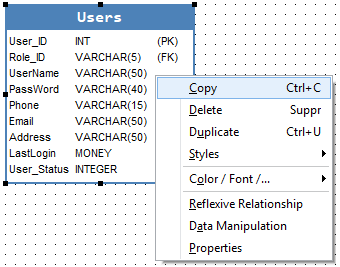
Note that you can also copy it with a shortcut (Ctrl+C). Another way to copy an object is to select it, and click on the “Copy” icon from the toolbar:

- To paste the selected object:
1. Right-click on Diagram.
2. Select “Paste” from the Contextual menu:
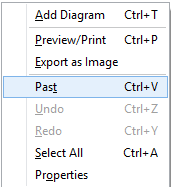
You can also paste it with a shortcut (Ctrl+V). Another way to paste is to click on the “Paste” icon from the toolbar:

If you copy a table, a window paste table appears. To enter a caption and a name for the destination table:
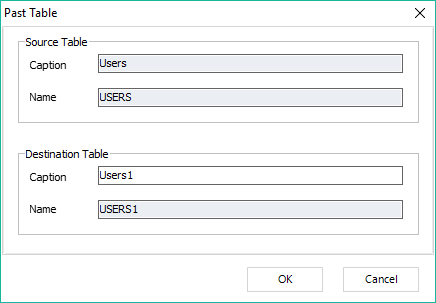
|
Available in: Free(Only for a single table), Starter, Standard, Professional and Enterprise Editions |