Opening an existing project
To open an existing project:
1. Select“File | Open Project”:
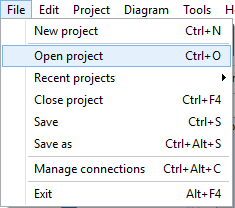
2. In the“File Open” dialog box, select a project (the file extension should be “.ERB”), and click on “Open”.
The last opened projects are accessible from the "File | Recent Projects" menu.
|
Available in: Standard and Professional Editions |